

A Pukaland challenge that looks finished but keeps its reward locked can be one of several problems. A high score that never registered, a claim button that never appeared and a control that stopped responding have different causes. Replaying the run will not fix all of them.
The mainland Chinese October 15 maintenance notice names specific Pukaland fixes. Start by checking whether your symptom is actually on that list.
Notice checked October 15, 2026, at 17:59 AEDT: the CN maintenance was scheduled for 06:00–11:00 UTC+8, or 09:00–14:00 in Melbourne. That planned window has passed, but the developer said its finishing time could change. This guide has not independently verified that maintenance finished or that the fixes work on a live account. Official CN maintenance notice, published October 14
At a glance
| Problem | CN scope and official status | What to check |
|---|---|---|
| S-rating objective does not complete | 甜蜜大摆锤 fix announced for CN October 15 maintenance | Match task text to result screen |
| Mouse movement fails | 捣蛋鬼集合 on the Cloud NTE PC client; CN fix announced | Confirm client and input method |
| Wrong fee or unresponsive navigation | Named attraction-fee and collection-book fixes announced for CN | Record attraction or button name |
| Reward still locked after completion | No retroactive credit promised in the notice | Record claim state before replaying |
Which problems are actually listed?
The CN notice covers these issues:
- An S-rating objective sometimes failed to complete in 甜蜜大摆锤.
- Mouse movement could fail in 捣蛋鬼集合, specifically on the Cloud NTE PC client.
- 噗卡奇迹之轮 and 云间观光号 could charge incorrect attraction fees.
- The collection book's adventure-rating and challenge navigation buttons could fail to respond.
- The Puka Membership progression indicator could show a wrong red notification dot after an upgrade.
The notice does not cover every park problem. The Chinese attraction names are kept here so you can compare them directly with the client instead of relying on an unverified translation. Official CN fix list
Separate completion from claiming
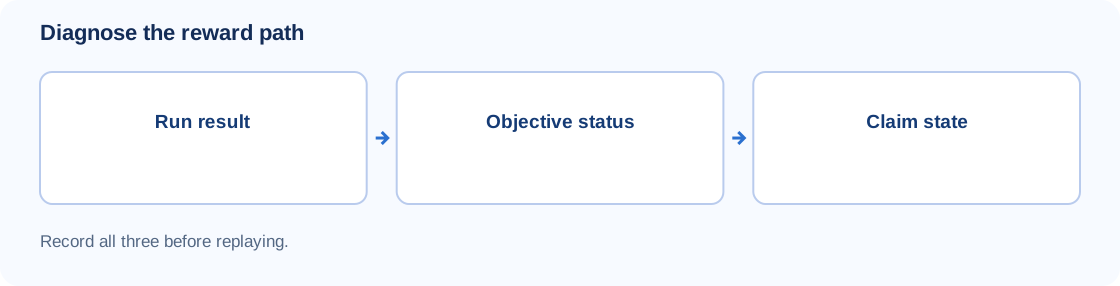
Screenshot the exact task text before trying again, then compare it with the results screen from your last attempt. You want to know three things:
- Result: Did the run end with the required rating or condition?
- Objective: Does the task now show as complete?
- Reward: Is it still locked, claimable, or already claimed?
Those checks show where the chain broke: the result, the objective or the claim state.
If the objective has several conditions, compare each one with the run you just finished. When the results screen and task text agree but the objective stays incomplete, keep both screenshots for the report.
An unresponsive control needs a different check
For a control problem, note whether the input fails everywhere or only in one attraction. Can you move the pointer in menus? Can you interact normally outside that minigame? Does the problem start before the round begins or only after?
The cloud-client issue in the notice is narrowly described. It does not explain a similar symptom on a native Windows install, a phone or a controller.
Before changing settings, capture the controls and, if possible, a short clip of the failure. A single broken attraction is not a good reason to delete configuration folders, change account links or reinstall the game.
Retest after the regional update
After the update, try the same attraction on the same account and server with the same input method. That makes a before-and-after comparison possible.
The official global version 1.4 instructions explain how to get an available update: the standalone PC launcher uses its Update action, Steam users close the game and restart Steam, and Mac and iOS use the App Store. These are update steps only. They do not show that a particular CN hotfix has reached global clients. Official global version 1.4 patch notes, published September 29
After updating, take a fresh screenshot of the task status before replaying. If the task now shows complete, check the claim state first. If it is still incomplete, one documented attempt gives you a clean before-and-after. The notice doesn't promise credit for earlier runs, so don't count on it.
What should global players do?
Use the CN announcement to match symptoms, but check your own server's notices before treating it as a deployed global fix. A shared version number does not prove both regions received the same changes on the same day.
The schedules already differ. The CN version 1.4 notice ends Pukaland Travelogue on November 5 at 05:59, while the global notice lists November 11 at 05:59 UTC+8. Go by the deadline shown for your account. Official CN version 1.4 notice, published September 23 · Official global version 1.4 notice
If your account's deadline is close, report the blocked objective now instead of waiting for another region's schedule.
If the problem continues, send a useful report
Have these ready for the game's official support route:
- Server or region and client platform, including whether you use cloud streaming
- Client version and the time the problem occurred, with a timezone
- Attraction name and the exact objective text
- Expected result and what actually happened
- A results-screen screenshot, task-status screenshot and short reproduction steps
- Whether the symptom still occurs after the available update
Share account identifiers only through the official support channel. A public forum post does not need your email address, payment details or login information. Crop unrelated personal details from screenshots.
Is this a widespread bug?
A public TapTap thread describes frustrations with mobile aiming, instructions and challenge difficulty. It shows what some players ran into, but it says nothing about how common the problems are or whether they share a cause with the announced fixes. Player discussion, checked October 15
If your symptom is missing from the CN notice, report the attraction and task state as you see them. The notice alone cannot confirm a fix for another region.